⚠️ IMPORTANT
Once a batch is deleted from PLAATO Pro, it cannot be recovered. Please make sure you no longer need the data before proceeding.
Plaato Pro Web App
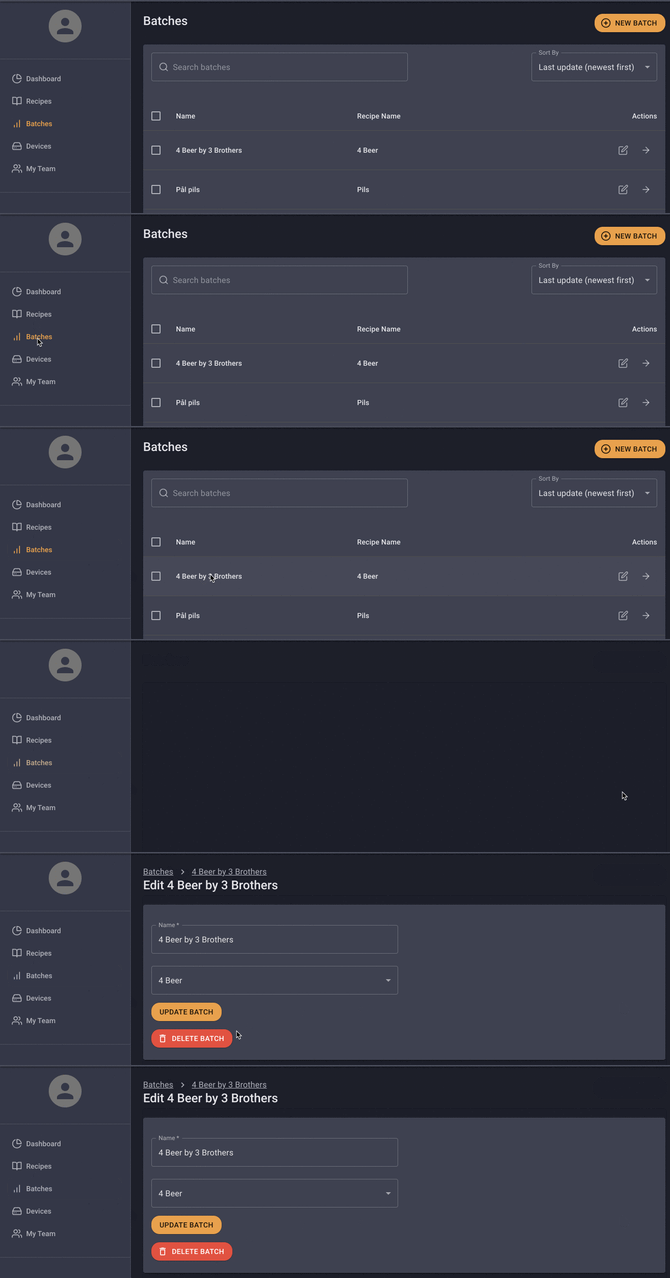
Steps:
-
Log in to https://app.plaato.cloud/login
-
Click "Batches" in the left-hand menu.
-
Select the batch you want to delete.
- Click "Actions" in the top-right corner of the page.
-
Click on "Delete" and confirm.
Plaato Pro Mobile App (iOS and Android)
Steps:
-
Open your Plaato Pro App.
-
Tap "Batches"
-
Select the batch you want to delete.
-
Tap the three dots in the top-right corner (next to the batch name).
-
Tap "Delete" and confirm.