Never miss key fermentation moments with PLAATO Pro Batch Alerts. Set temperature and/or density thresholds and receive notifications when your batch reaches or crosses them. With PLAATO Pro Batch Alerts, you can take timely action to protect the quality of your batch.
Create a Batch Alert
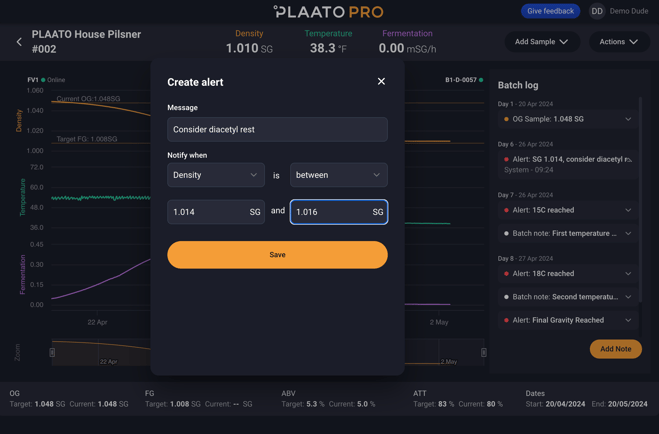
-
Turn on push notifications on your mobile device.
-
Launch the PLAATO Pro App.
-
Tap “Batches.”
-
Select the batch you want to add an alert to.
-
Tap “Actions” in the top right-hand corner of the screen.
-
Tap “Alerts” > “Add Alert.”
-
Customize the message you want to receive in the “Alert Message” field.
-
Tap “Create Alert” to save it.
Your alert will appear in the batch log on the side of your screen.👍
Notes:
-
Batch Alerts are sent every time the defined threshold is reached or crossed during the fermentation batch.
-
Batch Alerts apply only to the specific batch they are created for.